Private, fast internet. Pay with bKash.
One tap to connect from Bangladesh to fast servers abroad. Buy in a minute with bKash, Nagad or Rocket. No card, no hassle.
Why VPN World
Everything you need, nothing you don't
Built for people in Bangladesh who want a VPN that just works, and is easy to pay for.
Fast WireGuard
The modern VPN protocol: quick to connect, light on battery, smooth for video and calls.
No browsing logs
We never record the sites you visit. Each phone gets its own private key that never leaves it.
Pay the local way
bKash, Nagad or Rocket Send Money. Upload the screenshot and your plan starts after a quick check.
One tap, any phone
Simple Android app that works on small phones, big phones and tablets. Use it on several devices.
Fastest server, automatically
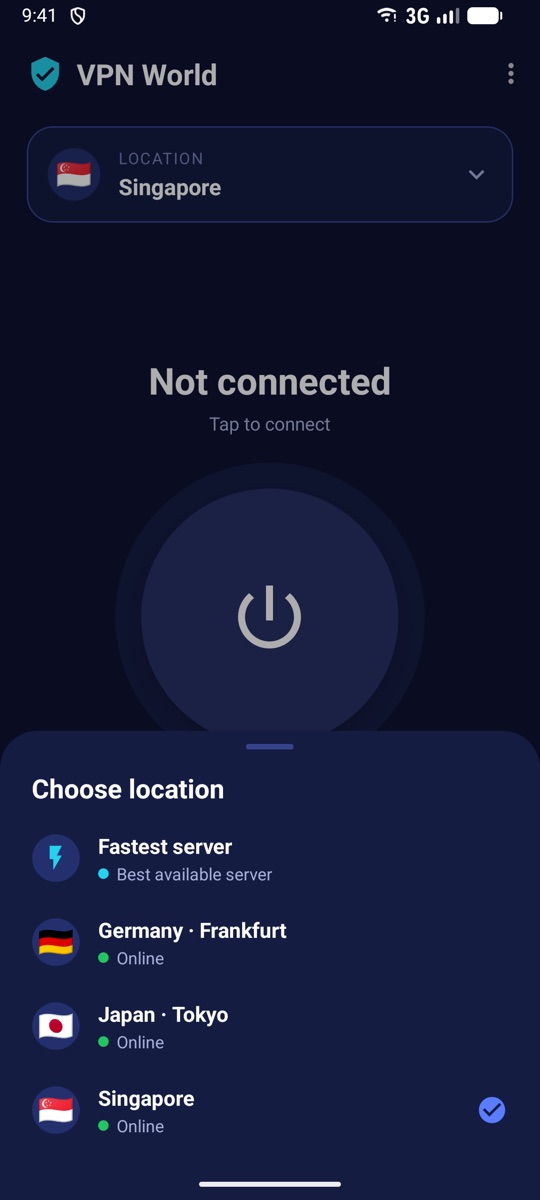
Pick a country or let the app choose the least busy server for you.
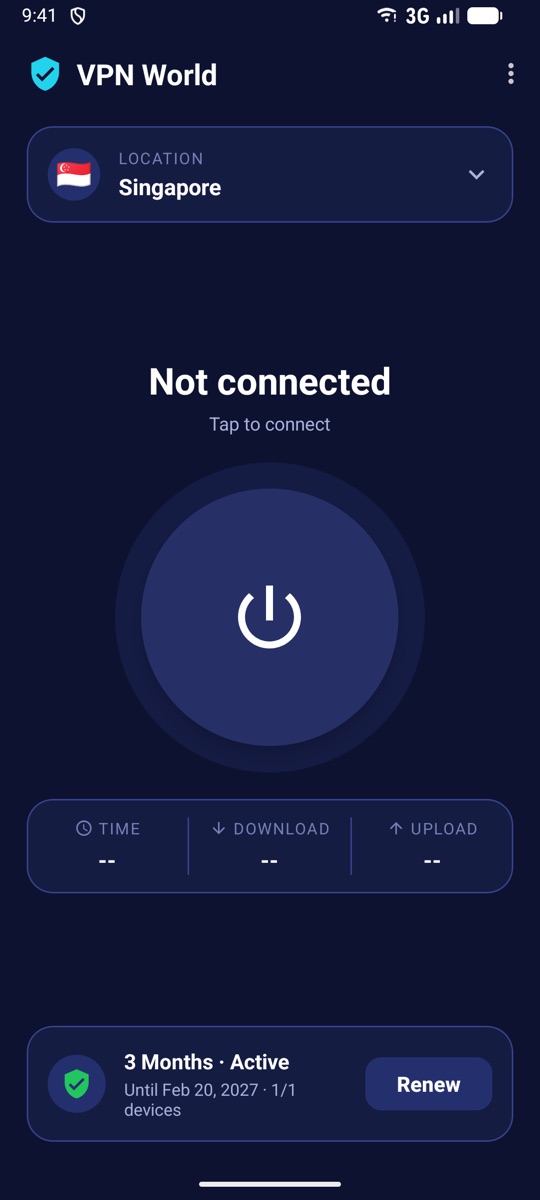
Always know your status
See your plan, devices, speed and data used. The app tells you before anything surprises you.
Server locations
Server locations
This list comes straight from our servers. Green means online and ready.
Pricing
Simple prices in taka
Prices are per device. Renew any time: new days are added on top of the days you have left.
How to pay
Pay in a minute, from the app or this website
The same three steps everywhere. Your account, plan and payments are shared between the website and the Android app.
- 1
Choose a plan
Pick a plan and how many devices. The total is shown right away.
- 2
Send Money with bKash, Nagad or Rocket
Send the exact amount to the number shown. Copy buttons make it quick.
- 3
Upload proof, start using
Enter the TrxID and add the success screenshot. Your plan starts as soon as it is checked, usually in minutes.
We never ask for your PIN or OTP.
Buy a plan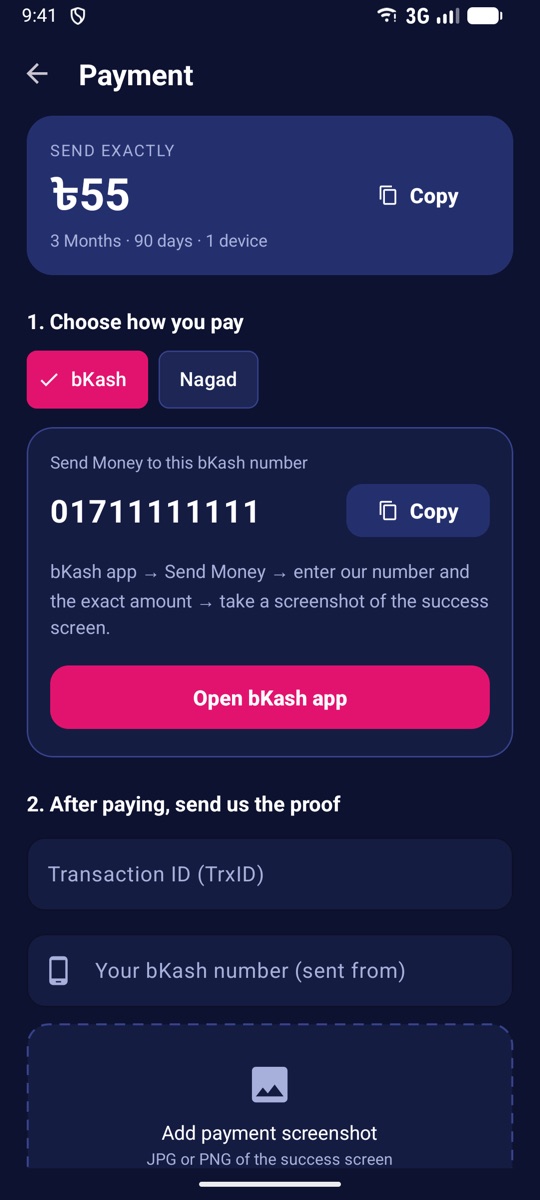
Android app
Your VPN in one tap
Log in with the same account you use here. Choose a location, tap the button, done.
The Android app download link is coming soon.
Android 7.0 or newer
FAQ
Questions, answered
How long does activation take?+
After you submit the TrxID and screenshot we check the payment and activate your plan, usually within a few minutes. The app and website update by themselves.
Which payment methods can I use?+
bKash, Nagad and Rocket Send Money (whichever are shown at checkout). Always send the exact amount to the number shown on the payment screen.
Can I use one plan on several phones?+
Yes. Choose the number of devices when you buy. You can see and remove devices any time in the app or in your account.
What happens when my plan ends?+
The VPN stops working and the app tells you. Renew any time; if you renew early, the new days are added to the days you have left.
Do you keep logs of what I do?+
No. We do not record the websites you visit. We only keep what is needed to run your account, like your plan and how much data each device used.
I paid but my plan is not active+
Open "My payments" in the app or your account to see the status. If it was rejected, the reason is shown there. Contact support with your TrxID if you need help.
Ready in about a minute
Create your account, pay with bKash, Nagad or Rocket, and connect from the app.
Get VPN World